GoReleaser is a release automation tool for Go projects, the goal is to simplify the build, release and publish steps while providing variant customization options for all steps.
GoReleaser is built for CI tools; you only need to
download and execute it in your build script.
You can customize your release process by
creating a .goreleaser.yml file.
The idea started with a simple shell script, but it quickly became more complex and I also wanted to publish binaries via Homebrew taps, which would have made the script even more hacky, so I let go of that and rewrote the whole thing in Go.
There are three ways to get going install GoReleaser:
brew install goreleaser/tap/goreleaserscoop bucket add goreleaser https://github.com/goreleaser/scoop-bucket.git
scoop install goreleaserCheck the tap source for more details.
You can use Docker to do simple releases. Currently, the provided docker image does not provide support for snapcraft.
$ docker run --rm --privileged \
-v $PWD:/go/src/github.com/user/repo \
-v /var/run/docker.sock:/var/run/docker.sock \
-w /go/src/github.com/user/repo \
-e GITHUB_TOKEN \
-e DOCKER_USERNAME \
-e DOCKER_PASSWORD \
goreleaser/goreleaser releaseNote that the image will almost always have the last stable Go version.
If you need more things, you are encouraged to have your own image. You can always use GoReleaser’s own Dockerfile as an example though.
Download your preferred flavor from the releases page and install manually.
Note: this method requires Go 1.10+.
$ go get -d github.com/goreleaser/goreleaser
$ cd $GOPATH/src/github.com/goreleaser/goreleaser
$ dep ensure -vendor-only
$ make setup buildIt is recommended to also run dep ensure to make sure that the dependencies
are in the correct versions.
In this example we will build, archive and release a Go project.
Create a GitHub repository and add a single main package:
// main.go
package main
func main() {
println("Ba dum, tss!")
}Run goreleaser init to create an example .goreleaser.yaml file:
$ goreleaser init
• Generating .goreleaser.yml file
• config created; please edit accordingly to your needs file=.goreleaser.ymlThe generated config file will look like this:
# This is an example goreleaser.yaml file with some sane defaults.
# Make sure to check the documentation at http://goreleaser.com
builds:
- env:
- CGO_ENABLED=0
archive:
replacements:
darwin: Darwin
linux: Linux
windows: Windows
386: i386
amd64: x86_64
checksum:
name_template: 'checksums.txt'
snapshot:
name_template: "{{ .Tag }}-next"
changelog:
sort: asc
filters:
exclude:
- '^docs:'
- '^test:'GoReleaser will build the binaries for your app for Windows, Linux and macOS,
both amd64 and i386 architectures. You can customize that by changing the
builds section. Check the documentation for more information.
After building the binaries, GoReleaser will create an archive for each OS/Arch
pair into a separate file. You can customize several things by changing
the archive section. Check the documentation for more information.
You’ll need to export a GITHUB_TOKEN environment variable, which should
contain a valid GitHub token with the repo scope.
It will be used to deploy releases to your GitHub repository.
You can create a token here.
$ export GITHUB_TOKEN=`YOUR_TOKEN`GoReleaser will use the latest Git tag of your repository. Create a tag and push it to GitHub:
$ git tag -a v0.1.0 -m "First release"
$ git push origin v0.1.0Attention: Check if your tag adheres to semantic versioning.
If you don’t want to create a tag yet, you can also create a release
based on the latest commit by using the --snapshot flag.
Now you can run GoReleaser at the root of your repository:
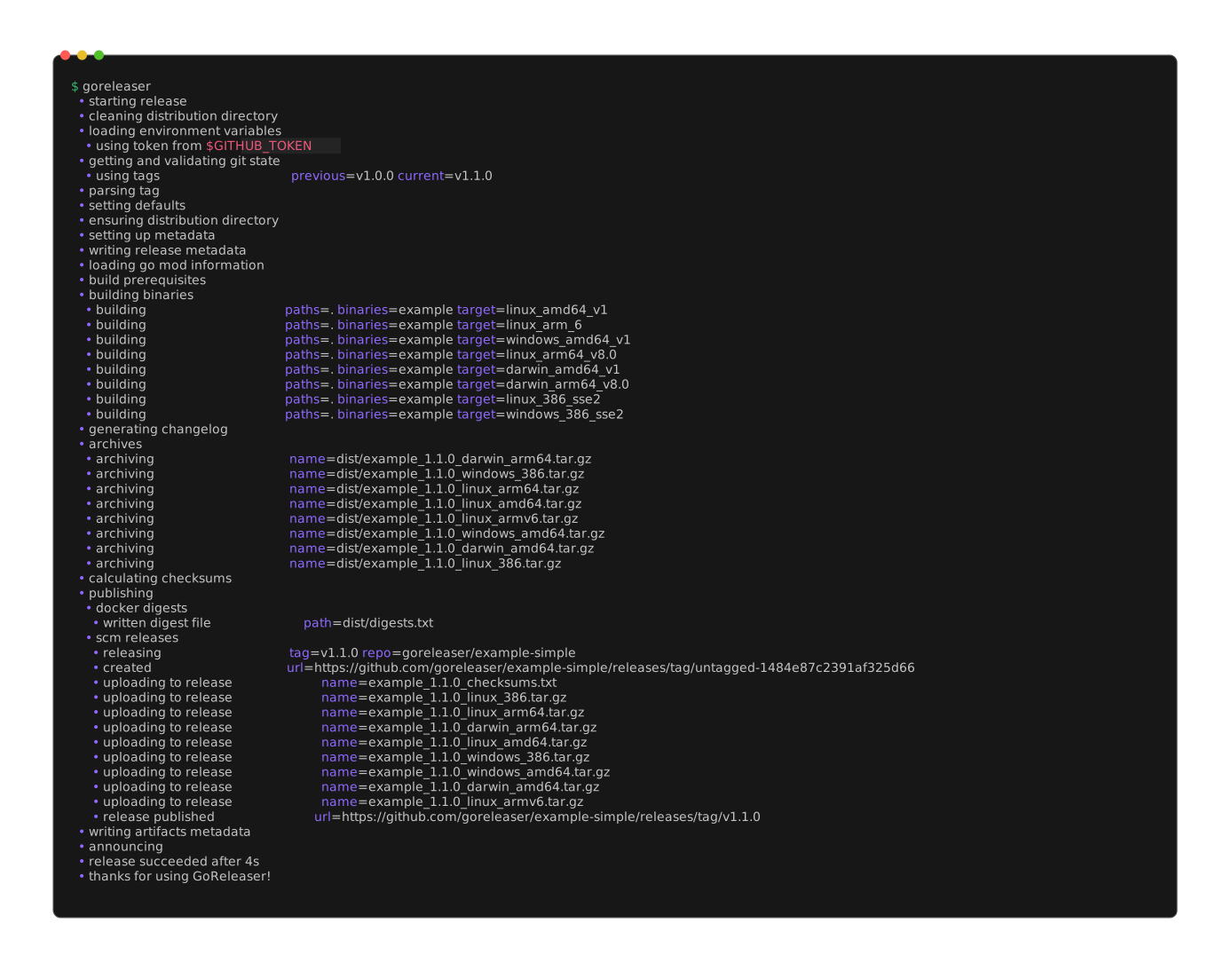
$ goreleaserThat’s all! Check your GitHub project’s release page. The release should look like this:
GoReleaser enforces semantic versioning and will error on non compliant tags.
Your tag should be a valid semantic version. If it is not, GoReleaser will error.
The v prefix is not mandatory. You can check the templating
documentation to see how to use the tag or each part of the semantic version
in name templates.
Unfortunately, GoReleaser does not support CGO.
You can see the discussion about this in this issue.
You can see the comments on the issue referenced for workarounds on it.
GoReleaser requires a GitHub API token with the repo scope selected to
deploy the artifacts to GitHub.
You can create one here.
This token should be added to the environment variables as GITHUB_TOKEN.
Here is how to do it with Travis CI:
Defining Variables in Repository Settings.
Alternatively, you can provide the GitHub token in a file. GoReleaser will check ~/.config/goreleaser/github_token by default, you can change that in
the .goreleaser.yml file:
# .goreleaser.yml
env_files:
github_token: ~/.path/to/my/tokenYou can use GoReleaser with GitHub Enterprise by providing its URLs in
the .goreleaser.yml configuration file:
# .goreleaser.yml
github_urls:
api: https://git.company.com/api/v3/
upload: https://git.company.com/api/uploads/
download: https://git.company.com/If none are set, they default to GitHub’s public URLs.
IMPORTANT: be careful with the URLs, they may change from one installation to another. If they are wrong, goreleaser will fail at some point, so, make sure they’re right before opening an issue. See for example #472.
By default, GoReleaser will create its artifacts in the ./dist folder.
If you must, you can change it by setting it in the .goreleaser.yml file:
# .goreleaser.yml
dist: another-folder-that-is-not-distmain.versionDefault wise GoReleaser sets three ldflags:
main.version: Current Git tag (the v prefix is stripped) or the name of
the snapshot, if you’re using the --snapshot flagmain.commit: Current git commit SHAmain.date: Date according RFC3339You can use it in your main.go file:
package main
import "fmt"
var (
version = "dev"
commit = "none"
date = "unknown"
)
func main() {
fmt.Printf("%v, commit %v, built at %v", version, commit, date)
}You can override this by changing the ldflags option in the build section.
GoReleaser provides multiple customizations via the .goreleaser.yml file.
You can generate it by running goreleaser init or start from scratch.
The defaults are sensible and fit for most projects.
GoReleaser was built from the very first commit with the idea of running it as part of the CI pipeline in mind.
Let’s see how we can get it working on popular CI software.
You may want to setup your project to auto-deploy your new tags on Travis, for example:
# .travis.yml
language: go
addons:
apt:
packages:
# needed for the nfpm pipe:
- rpm
# needed for the snap pipe:
- snapcraft
env:
# needed for the snap pipe:
- PATH=/snap/bin:$PATH
install:
# needed for the snap pipe:
- sudo snap install snapcraft --classic
# needed for the docker pipe
services:
- docker
after_success:
# docker login is required if you want to push docker images.
# DOCKER_PASSWORD should be a secret in your .travis.yml configuration.
- test -n "$TRAVIS_TAG" && docker login -u=myuser -p="$DOCKER_PASSWORD"
# calls goreleaser
deploy:
- provider: script
skip_cleanup: true
script: curl -sL https://git.io/goreleaser | bash
on:
tags: true
condition: $TRAVIS_OS_NAME = linuxNote the last line (condition: $TRAVIS_OS_NAME = linux): it is important
if you run a build matrix with multiple Go versions and/or multiple OSes. If
that’s the case you will want to make sure GoReleaser is run just once.
Here is how to do it with CircleCI 2.0:
# .circleci/config.yml
version: 2
jobs:
release:
docker:
- image: circleci/golang:1.10
steps:
- checkout
- run: curl -sL https://git.io/goreleaser | bash
workflows:
version: 2
release:
jobs:
- release:
filters:
branches:
ignore: /.*/
tags:
only: /v[0-9]+(\.[0-9]+)*(-.*)*/By default, drone does not fetch tags. plugins/git is used with default values,
in most cases we’ll need overwrite the clone step enabling tags in order to make
goreleaser work correctly.
In this example we’re creating a new release every time a new tag is pushed.
Note that you’ll need to enable tags in repo settings and add github_token
secret.
pipeline:
clone:
image: plugins/git
tags: true
test:
image: golang:1.10
commands:
- go test ./... -race
release:
image: golang:1.10
secrets: [github_token]
commands:
curl -sL https://git.io/goreleaser | bash
when:
event: tagCloudBuild works off a different clone than your github repo: it seems that your changes are pulled to a repo like source.developers.google.com/p/YourProjectId/r/github-YourGithubUser-YourGithubRepo, and that’s what you’re building off.
This repo has the wrong name, so to prevent Goreleaser from publishing to the wrong github repo, put in the your .goreleaser.yml file’s release section:
release:
github:
owner: YourGithubUser
name: YourGithubRepoCreate two build triggers: - a “push to any branch” trigger for your regular CI (doesn’t invoke goreleaser) - a “push to tag” trigger which invokes goreleaser
The push to any branch trigger could use a Dockerfile or a cloudbuild.yaml, whichever you prefer.
You should have a dedicated cloudbuild.release.yaml that is only used by the “push to tag” trigger.
In this example we’re creating a new release every time a new tag is pushed. See Using Encrypted Resources for how to encrypt and base64-encode your github token.
The clone that the build uses has no tags, which is why we must explicitly run git tag $TAG_NAME (note that $TAG_NAME is only set when your build is triggered by a “push to tag”.) This will allow goreleaser to create a release with that version, but it won’t be able to build a proper changelog containing just the messages from the commits since the prior tag.
steps:
~ # Setup the workspace so we have a viable place to point GOPATH at.
~ - name: gcr.io/cloud-builders/go
~ env: ['PROJECT_ROOT=github.com/YourGithubUser/YourGithubRepo']
~_ args: ['env']
~ # Create github release.
~ - name: goreleaser/goreleaser
~ entrypoint: /bin/sh
~ dir: gopath/src/github.com
~ env: ['GOPATH=/workspace/gopath']
~ args: ['-c', 'cd YourGithubUser/YourGithubRepo && git tag $TAG_NAME && /goreleaser' ]
~_ secretEnv: ['GITHUB_TOKEN']
secrets:
~ - kmsKeyName: projects/YourProjectId/locations/global/keyRings/YourKeyRing/cryptoKeys/YourKey
~ secretEnv:
~ GITHUB_TOKEN: |
~ ICAgICAgICBDaVFBZUhVdUVoRUtBdmZJSGxVWnJDZ0hOU2NtMG1ES0k4WjF3L04zT3pEazhRbDZr
~ QVVTVVFEM3dVYXU3cVJjK0g3T25UVW82YjJaCiAgICAgICAgREtBMWVNS0hOZzcyOUtmSGoyWk1x
~_ ICAgICAgIEgwYndIaGUxR1E9PQo=Does your company use goreleaser? Help keep the project bug-free and feature rich by sponsoring the project.
Love our work and community? Become a backer.
This page will eventually have information for those who want to contribute to the project.
This project adheres to the Contributor Covenant code of conduct. By participating, you are expected to uphold this code.